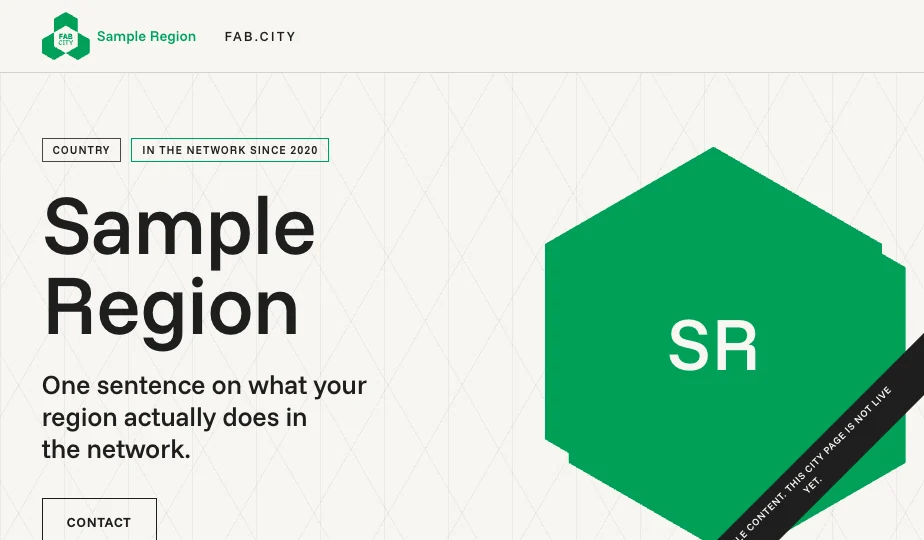
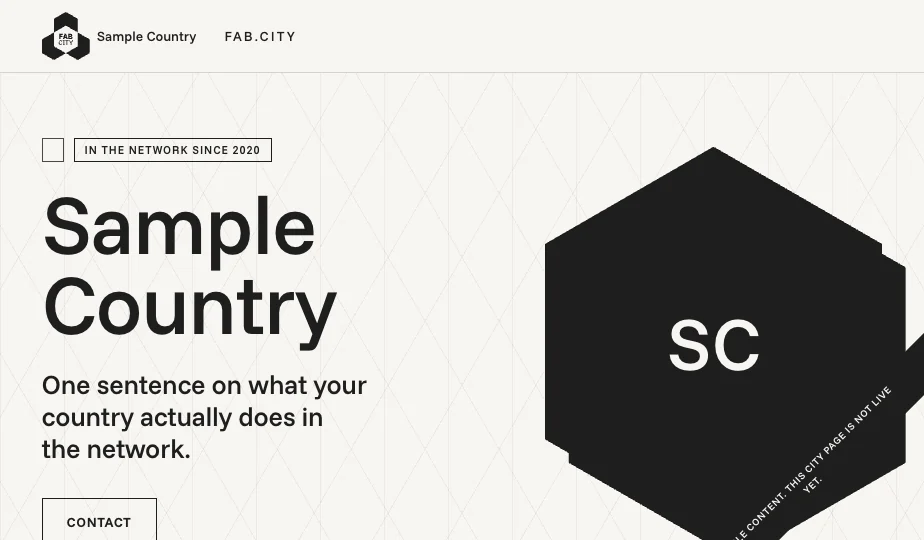
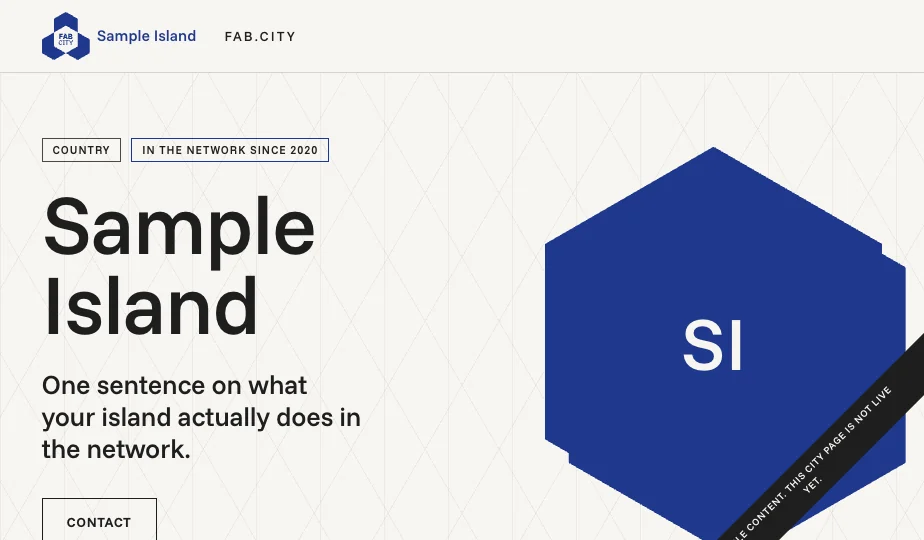
The Fab City Global Initiative is a network of cities, regions, countries and islands working toward one goal: producing (almost) everything they consume by 2054. This guide, and the website template it documents, exist so that every member can have a clear, fast, recognizable web presence at an address like zagreb.fab.city.
Using the template is optional. Many members already have websites they are happy with, and nothing here asks you to replace them. The template is for members who want a site and don't have one, who want a fresh start, or who want their existing site to feel more connected to the network. Whichever describes you, there is a path in this guide.
What adopting the shared identity gets you
A finished, accessible, phone-friendly site in hours, with free hosting
Instant recognition as part of a global network, in your designation's color
A maintained reference design: fixes and improvements arrive as one click
Shared brand assets and fonts, licensed for your use
A network address, yourcity.fab.city, with the certificate handled for you
The guide is written for non-technical readers first. Where a step is for developers, it says so. If you get stuck, section 14 should resolve common problems and section 15 says who to write to.
Choose your path.
A. Use the template as is
Fork the repository, edit one content file, publish free on GitHub Pages. No code, no designer, no hosting bills. The Foundation maintains the design. .
B. Adapt or rebuild it
Take the template into WordPress, Webflow, Drupal, or any stack you prefer, within a short list of brand rules. You build and maintain it. .
C. Keep your website
Your current site stays. Align it with the network as much or as little as you like, and request a fab.city subdomain for it. .
D. Borrow the pieces
Adopt only the colors, the type, the hexagon modules or single patterns. The design system is documented in section 07.
In Short:
No website yet, or no technical team? → Path A. It is the fastest and the free one.
Happy with your current site? → Path C. Subdomain is preferred.
Have a developer or agency and specific needs? → Path B, with A as the reference.
Just want the look? → Path D.
What is included, and who does what.
Included
The template repository: code, sample content, fonts, automatic content checks
A free publishing path (GitHub Pages)
Your fab.city subdomain, its DNS record and its certificate path
The design system and brand assets, with usage rules
This guide, the README, and template updates over time
Not included
Building, editing, translating or debugging your site for you
Writing or reviewing your content
Custom features, and support for Path B adaptations
Hosting for anything other than the Path A setup
Your legal compliance: privacy, cookies, local notice requirements
This split is what keeps the template free and maintained: the Foundation runs the shared infrastructure, each member runs its own site. Concretely:
Your city owns
The Foundation owns
All content and its accuracy · images and their rights · translations · your GitHub account and fork · applying updates · the analytics decision and the privacy page that comes with it · legal notices your jurisdiction requires · testing your page before launch · keeping news and events alive
The template code and its fixes · the shared repository · the fab.city domain and DNS · the brand and its assets · this documentation · the update announcements
Support questions are answered within 10 working days, usually faster (section 15). The team is small and the network is large; the more this guide answers for you, the faster it stays for everyone.
Template tour.
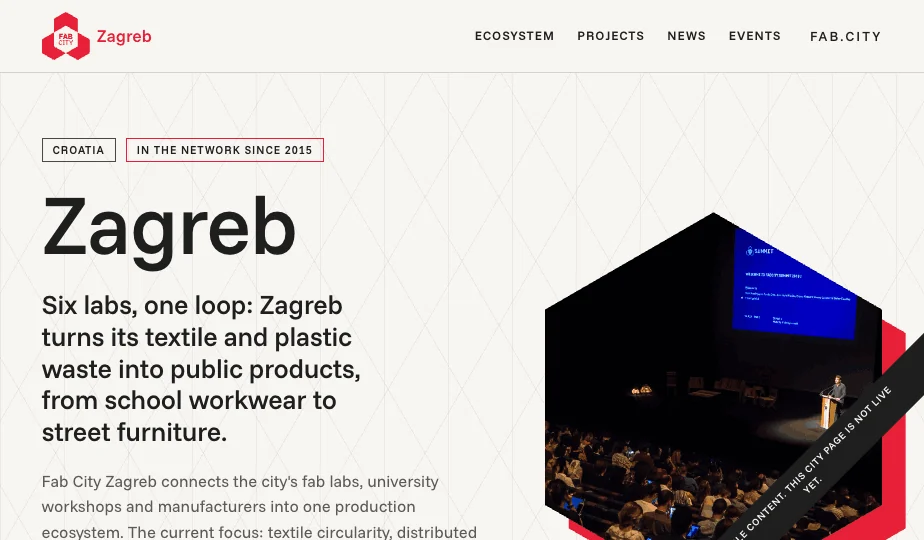
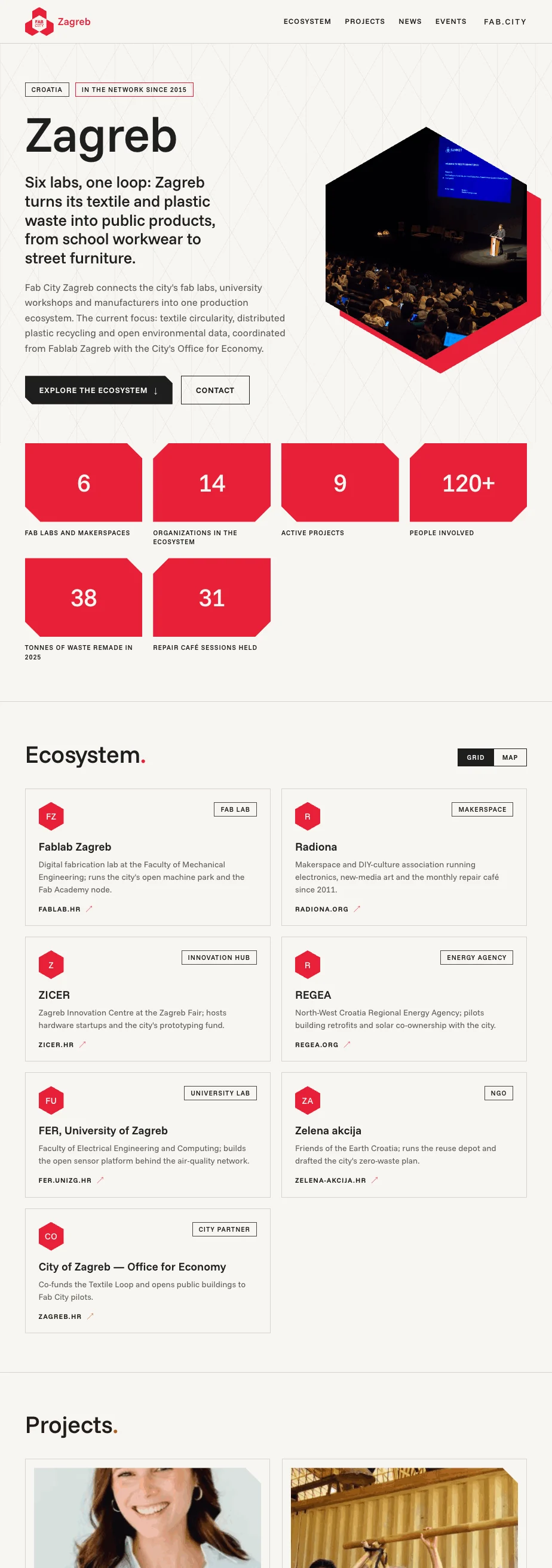
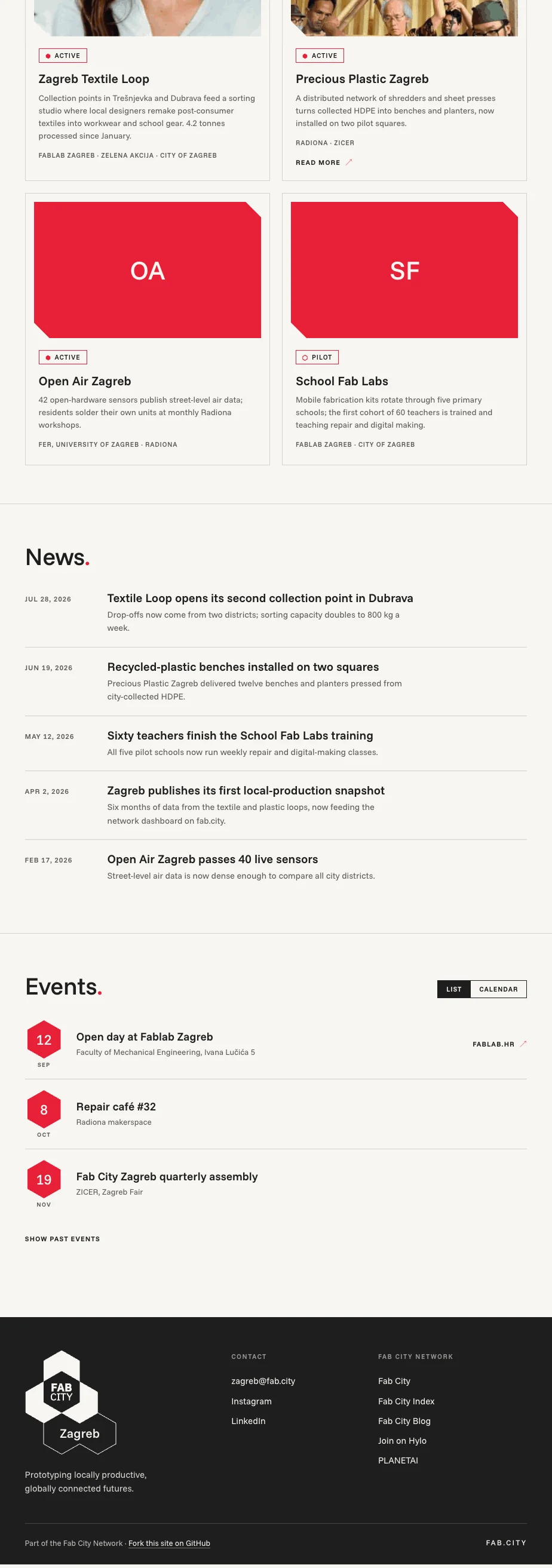
One page, six sections, all rendered from your content file. Sections you leave empty simply don't appear; a short page is a valid page. On phones everything reflows to a single column. Everything below is live at fabcity.github.io/city-site-template: click through it before you start.
The whole sample page, split across two columns: hero → data snapshot → ecosystem → projects → news → events → footer.
1
2
3
4
5
6
7
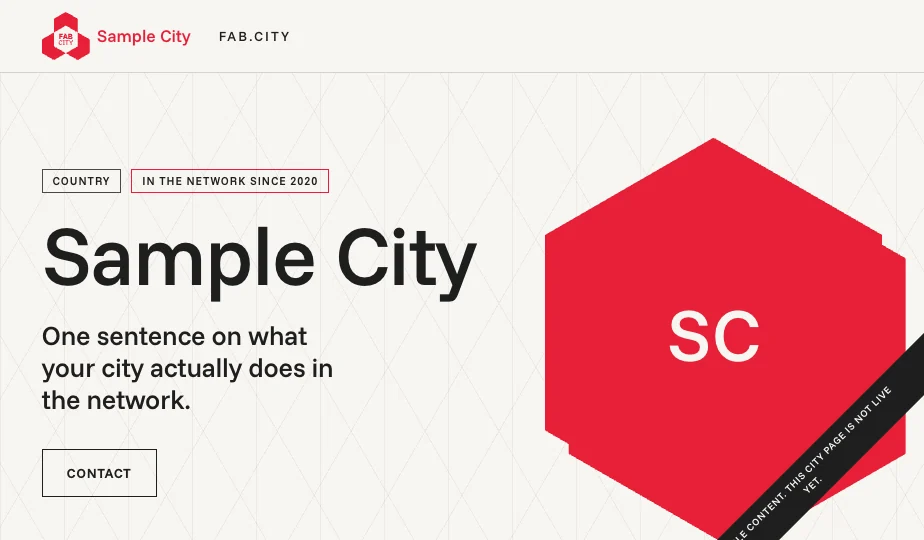
The hero. 1 · Your lockup, generated from your name and designation; you never draw it. 2 · Country tag and “in the network since”, from two fields. 3 · Your name, sized automatically. 4 · The differential: one concrete sentence on what your city does. 5 · Two or three sentences of description. 6 · Your photo in the hexagon module with the offset color backing. 7 · The sample ribbon, shown until you flip is_sample to false.
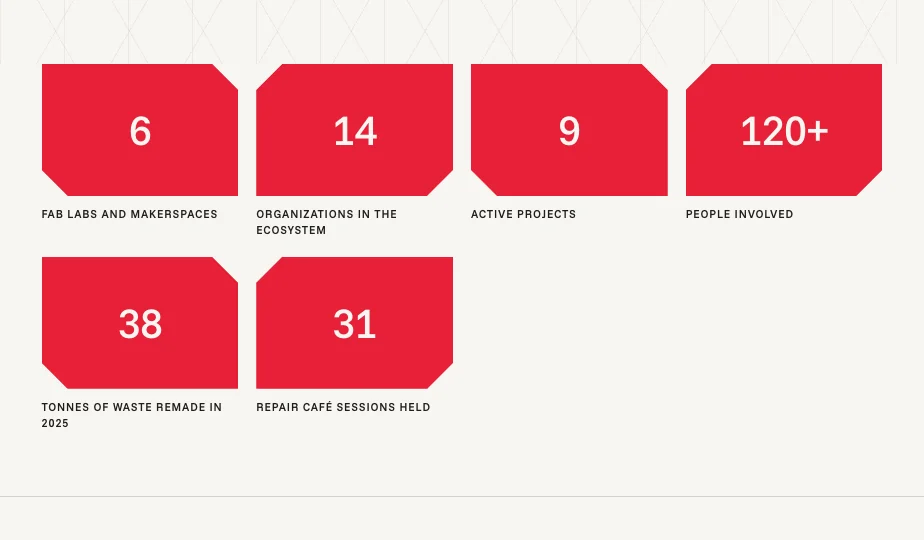
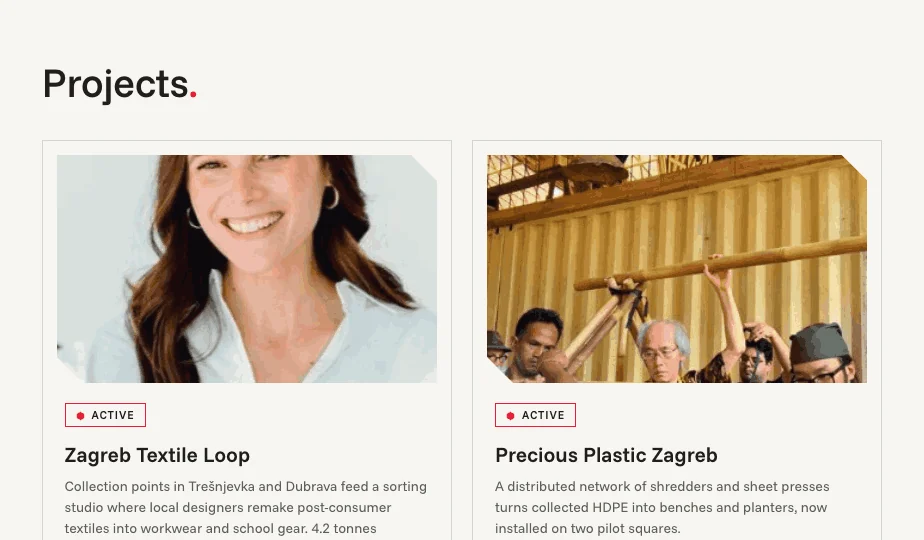
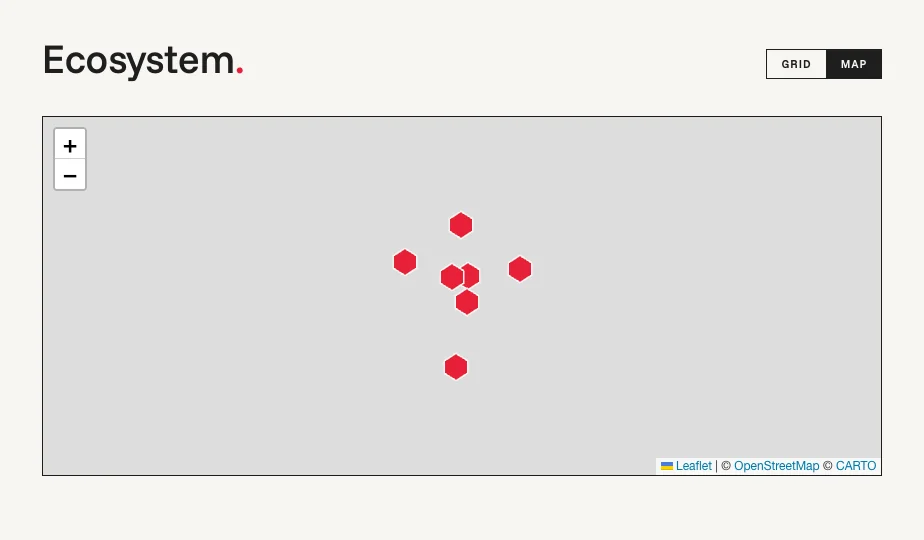
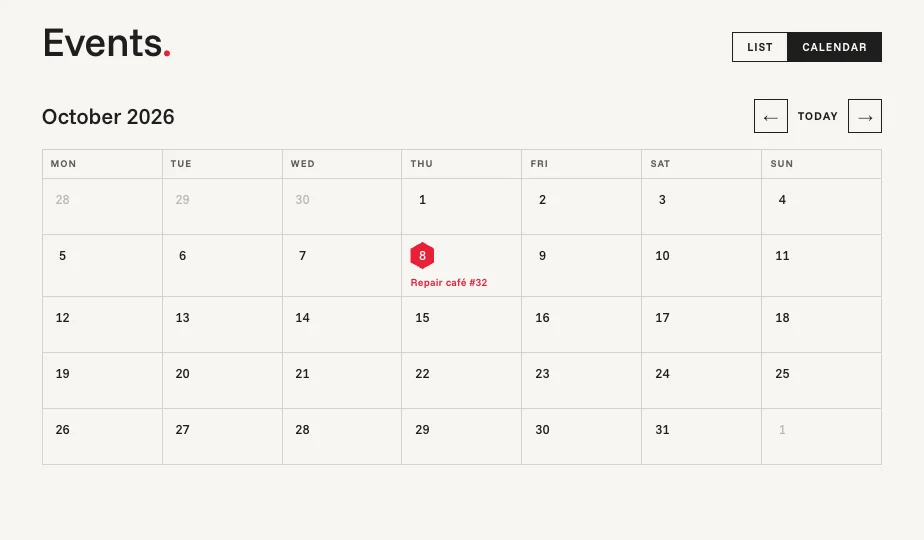
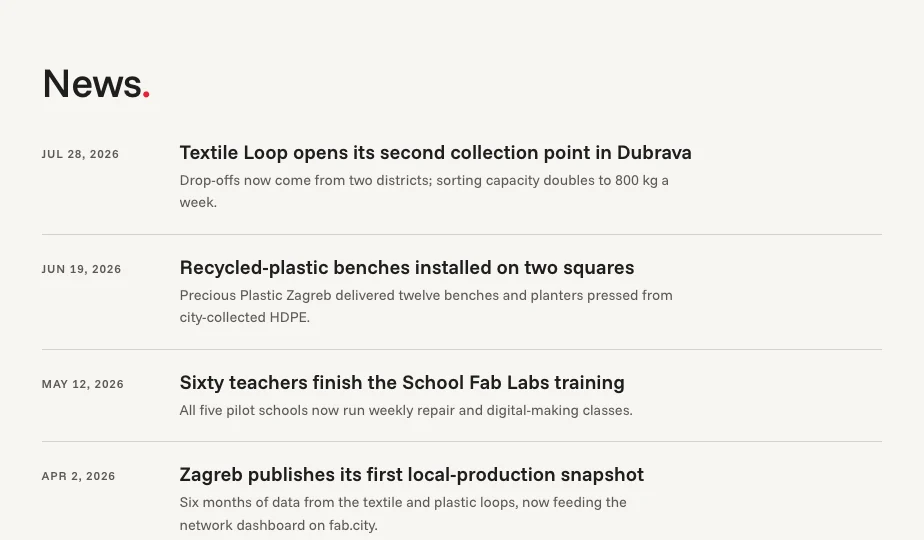
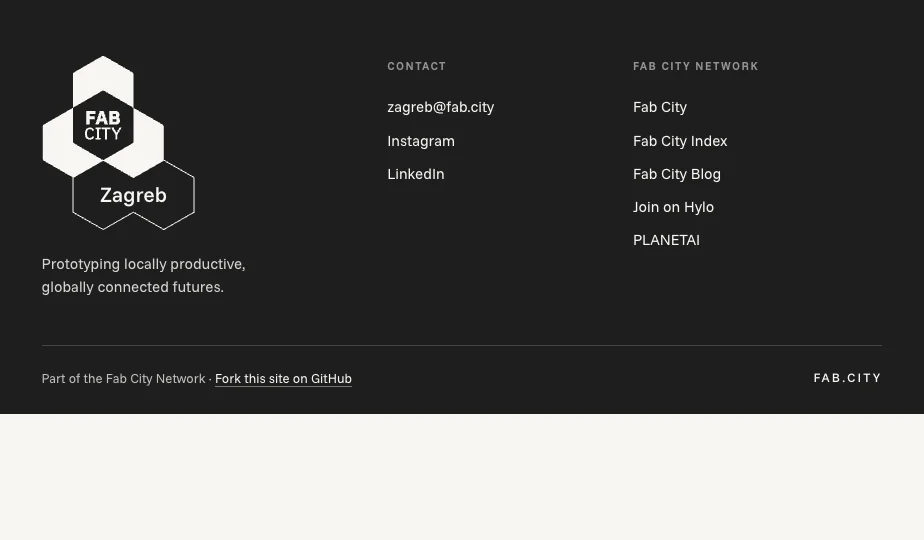
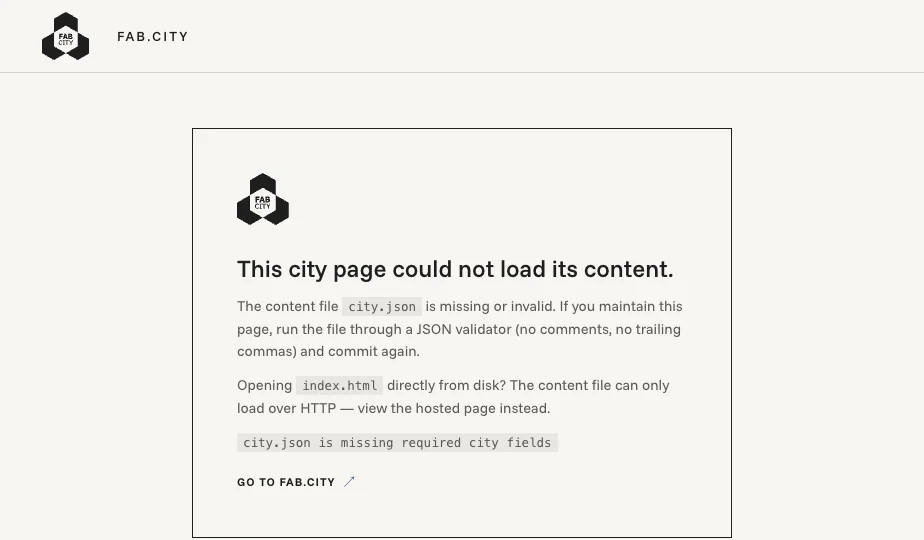
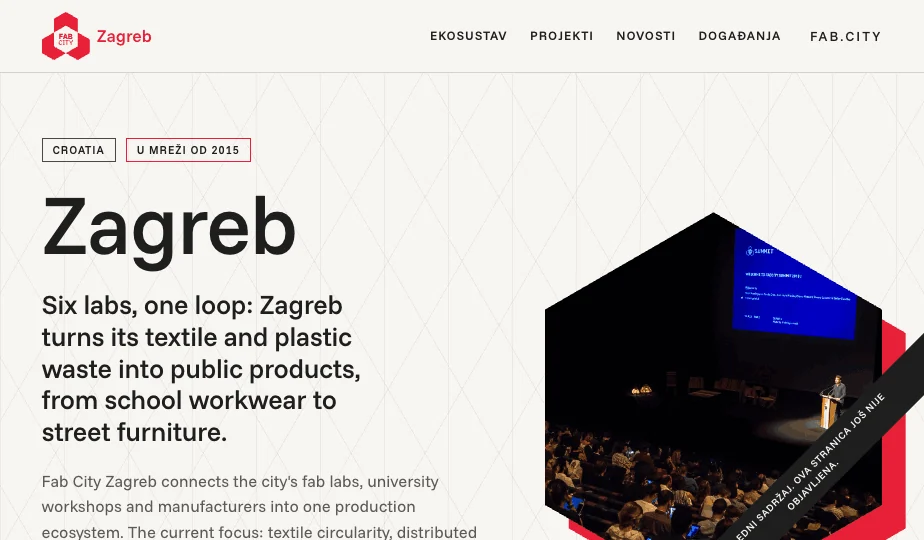
Data snapshot. Up to six numbers that prove the city is alive. Values are text, so “120+” works.Projects. What is actually being made. No photo yet? A colored initials block keeps the card intentional.Ecosystem, map view. Organizations with coordinates appear as hexagon pins. Base-map tiles are omitted by the capture tool here; visitors see a full street map.Events, calendar view. Visitors flip between list and calendar; past events stay as your track record.News. Newest first, six shown, automatic. You only ever append entries.Footer. Your stacked lockup and contacts on the left; the network zone on the right is identical on every member site.The error card. If your content file breaks, visitors see this instead of a blank page, and it tells you how to fix it.Your language. Every label on the page is editable in one block of the content file — here, Croatian — and city.language tells browsers and screen readers which language that is. The error card is the one exception: it stays in English, because it appears exactly when the file holding your labels is the file that failed. .
Path A
Publish your site, step by step.
You need a free account at github.com and a browser. Nothing installs on your computer. Budget an afternoon for the first pass, most of it spent writing your own content.
1
Fork the repository. Open github.com/fabcity/city-site-template, click Fork (top right), then Create fork. You now have your own copy that only you can edit.
2
Switch on GitHub Pages. Do this before you write anything, so you can watch the page take shape as you go. In your fork: Settings → Pages → Source: Deploy from a branch → Branch: main, folder / (root) → Save. After a minute or two the Zagreb sample is live at https://YOURNAME.github.io/city-site-template/. That address is your working preview from here on; check it after every commit (changes take a minute to appear).
3
Edit city.json. In your fork, click the file, then the pencil icon. Change only what sits on the right of each colon — the words on the left are the shared network format — and keep every value in the shape it already has: four of them are unquoted, and section 06 opens with the list. Commit changes when done, then reload the preview from step 2. To catch mistakes, use the online checker: paste your file into it, or give it your page address, and it names any problem in plain language. Nothing to install, and it is where the error card sends you. The repository also carries an automatic check that marks each commit ✓ or ✗ — GitHub switches workflows off on new forks, so to use it open the Actions tab once and click “I understand my workflows, go ahead and enable them”. Full field reference in section 06.
4
Upload your images. Open the assets folder → Add file → Upload files → drag your photos in → commit. Filenames in city.json must match exactly, including upper/lower case. Hero at least 1200px wide, projects 800px, each file under ~400 KB.
5
Replace all sample content, then go real. When nothing from Zagreb remains, set "is_sample": false. The diagonal “sample content” ribbon disappears. Run the launch checklist.
6
Request your subdomain. Active members: submit the subdomain request form. Required: the subdomain you want, your designation, your path (A — Template fork), your city or region name, a contact name and email, and a tick confirming you accept the network's conditions. On Path A, fill in your GitHub username as well — the Foundation cannot create your DNS record without it. Optional: a separate technical contact, your page address, and a message. We reply within 10 working days; the Foundation then creates the DNS record and confirms.
7
Connect it. After our confirmation: Settings → Pages → Custom domain, type yourcity.fab.city, save. GitHub runs a DNS check, then issues your HTTPS certificate (minutes to a day). When the check passes, tick Enforce HTTPS. Your city is on the network map of the web.
Writing city.json.
One file drives the whole page. Change only what sits on the right of each colon. Text stays inside "straight quotes", and four values are not quoted and must stay unquoted — joined_year (a year, 2015), is_sample (true or false), and lat / lng (decimal numbers). Putting quotes around those is the most common error the checker reports. Field by field:
Field
What it does
city.name · country
Shown as typed, everywhere including the generated lockup.
city.type
city, region, country or island. Sets your color everywhere and your lockup wording. Use the designation the Foundation gave you.
city.subdomain · joined_year
Your subdomain, lowercase; the year you joined (feeds the hero tag, and stays unquoted).
city.language
Optional. The language code of the page you wrote — "hr", "pt-BR", "fr". Sets the page's language for screen readers and browser translation. Set it whenever you translate ui_labels; leave it out for English.
city.differential
The most important line on the page. One sentence on what your city actually does in the network. Concrete, no slogans.
city.description · hero_image
Two or three sentences of real scope; the path to your main photo.
city.local_site_url
Optional. If your city also runs its own full website, put its address here and a “Visit our full website” button appears in the hero. Leave it empty and no button is shown. The hero holds one secondary button, so setting this replaces the “Contact” button; your email still appears in the footer either way.
contact
Public email plus social links. Entries with an empty url are hidden.
data_snapshot
Up to six label + value pairs. Values are text: "38", "120+".
ecosystem
The real organizations in your city, one line each on what they contribute. Optional lat/lng (right-click a spot in Google Maps to copy them) puts an organization on the map view. Empty logo shows an initials block on purpose.
projects
Title, free-text status (Active, Pilot…), two-sentence summary, partners, optional image and link.
news · events
Dates as YYYY-MM-DD. News sorts newest first, six shown. Events open on upcoming; keep past ones in the file as your track record.
ui_labels
Every label on the page — navigation, buttons, view switches, the footer line and heading, and the screen-reader labels — so the page translates from one block. Set city.language too. The full key list is in the README, which stays authoritative; anything you leave out falls back to English. The ten added in 1.2 cover the page chrome and the screen-reader labels: claim, network_zone, fork_cta, skip_to_content, aria_top, aria_sections, aria_intro, aria_data, aria_prev_month, aria_next_month. The error card is deliberately not translatable: it runs when city.json is the file that failed.
analytics
Optional, off by default. See below.
Content rules of the network
Publish real organizations and real projects, or publish nothing. A short true page beats a long generic one.
Every sentence must contain something specific to your city. Banned: “a community of makers and innovators”, “driving sustainable change”, and anything that could describe any city on Earth.
News older than six months reads as a dead city. Fewer entries, but real ones.
Flip is_sample to false only when every placeholder is gone.
Keeping the file valid
JSON is strict: straight quotes only, no trailing commas, no comments. Three safety nets:
The online checker: paste the file, or give it your page address. No setup
Enable the Actions tab once (section 05, step 3) and every commit is marked ✓ or ✗, with a log naming the error
If you edit the file on your own computer and have Node installed: node scripts/validate.js, run from the folder holding city.json. Same rules as the other two
If the live page shows the error card, the file is the reason; the card links to the checker
Analytics, the opt-in way
The template sets no cookies and no trackers. If you want visitor counts, fill both fields of the analytics block: plausible_domain (your subdomain, with a Plausible subscription you pay for) and privacy_url (a page you publish saying what you measure). The tracker loads only when both are set and the site is live. Local privacy compliance stays your responsibility. Leave both empty and nothing is ever loaded.
privacy_url works on its own, and it is the page's one legal-notice slot: fill it in, leave plausible_domain empty, and the footer gets a link with no tracker loaded anywhere on the page. That is where a legal notice goes if your jurisdiction requires one — a German or Austrian Impressum, a privacy statement, a cookie notice — and you can rename the link with the privacy key in ui_labels ("privacy": "Impressum"). Whether you need one is yours to check; the template gives you the slot.
The design system, and what is required.
On Path A all of this is automatic; read it to understand what the template is doing for you. On Paths B, C and D it is your reference, and the Required column at the end is the short list that actually binds you.
One designation, one color
Every member has a designation, and each designation has exactly one color, used monochromatically on white and the warm off-white paper tone. Your whole site runs in your one color; the colors never mix inside an element.
Fab City #E62038
Fab Region #00A057
Fab Country #1E1E1E
Fab Island #20388D
One field, city.type, recolors the entire page: city, region, country, island.
Type
Funnel Sans carries the whole template — display and body, headings tight and heavy, body regular. It replaced Circular when that font's licence turned out to block redistribution, and it is the network's single typeface: open licensed (SIL OFL 1.1) and shipped in the repository, so adapted sites can load the same file. Sentence case everywhere; uppercase only for small tracked labels; section titles may end with a period, the brand's signature.
The lockup
Your logo is generated: the Fab City mark plus your name in the naming plate, in your designation color. Never redraw, stretch, recolor or restyle it, and never place another logo inside it. Your city or partner logos live in your content, not in the mark. Adapted sites: request lockup files from jeanne@fab.city.
The hexagon module family
Imagery lives in the brand's geometry: hexagons and cut-corner frames, often a photo backed by an offset solid in your color, as in the hero. Photography is documentary: real labs, real people, real making. No stock gloss, no gradients, no emoji.
Surfaces
Warm paper #F7F5F1 background, near-black ink #1E1E1E, hairline borders, sharp corners, flat surfaces. Motion is quick and subtle, and respects reduced-motion settings.
Required, recommended, flexible
For any site on a fab.city subdomain, whatever it is built with:
Required
The Fab City lockup in the header · a link to fab.city · the line “Part of the Fab City Network” (footer or equivalent). These three keep the network recognizable; everything below is advice.
Recommended
Your designation color, used monochromatically · Funnel Sans · the network links block in the footer · serving your city.json feed (section 08) · the content rules of section 06.
Flexible
Everything else: sections, page count, features, navigation, languages, CMS, hosting, local partners and sponsors, your own domain alongside the subdomain.
Fine
Rebuilding in WordPress with your own sections and pages
Adding local sponsors, programs and extra navigation
Translating everything, including the network line
Showing your city hall's logo among your ecosystem
Not fine
Recoloring or redrawing the lockup, or merging it with another logo
Dropping the fab.city link or the network line
Mixing several brand colors inside one element
Presenting your site as speaking for the whole network
Path B
Adapt or rebuild in any CMS.
WordPress, Webflow, Wix, Squarespace, Drupal, a static generator, custom code: all fine. The template then becomes your reference implementation, and this section is the handover note for your developer or agency.
Hand your developer three things
The repository: github.com/fabcity/city-site-template. One HTML file, extensively commented, no build step; the design tokens sit at the top of its stylesheet.
This guide, especially section 07: three required elements, the rest recommended.
Your designation and content. The city.json structure is a ready-made content model for any CMS.
Tokens worth carrying over
Background
Warm off-white #F7F5F1, never pure white for full pages
Ink
#1E1E1E for text and marks; muted text as ink at ~72% opacity
Your color
One of #E62038 / #00A057 / #1E1E1E / #20388D by designation, used alone
Type
Funnel Sans for display and body — the network's single typeface. SIL OFL 1.1, shipped in the repository (assets/fonts/) and also on Google Fonts
Shape
Sharp corners, hairline borders, hexagon and cut-corner modules for imagery, an 8px spacing rhythm
Optional, worth it: serve the network feed
Path A sites automatically publish their content file at https://yourcity.fab.city/city.json, which lets fab.city aggregate the network's news and numbers. An adapted site can join the federation by serving the same file at the same address: export it from your CMS or upload it as a static file, valid against city.schema.json from the repository — the same shape written as a JSON Schema, for validating what your CMS exports. The hosted checker applies the same rules, and a test in the repository fails if the two ever disagree, so either one is a safe gate in your build. Not required, and worth doing.
The honest part. Adapted sites are yours end to end: hosting, security, updates, accessibility, everything. Template improvements don't flow into a rebuild; watch the repository's CHANGELOG and port what you want. The Foundation supports the template as shipped, and can't debug the network's WordPress installs. Budget accordingly with your agency.
Path C
Keeping your existing website.
A working website with real content is an asset; keep it. Two independent offers apply to it, take either or both:
1 · Align it, gradually
Small moves that make your site read as part of the network, in rough order of effect: add the lockup to your header and the “Part of the Fab City Network” line with a fab.city link to your footer; adopt your designation color for accents; switch headings to Funnel Sans; crop key imagery into the hexagon modules. Each step stands alone; there is no deadline and no inspection. You can also run both: a template page as your network-facing front door, with city.local_site_url set so its hero carries a “Visit our full website” button through to your main site.
2 · Put it on a fab.city address
Active members can point yourcity.fab.city at an existing site. Two mechanics exist: your hosting accepts the extra hostname and issues a certificate for it (most platforms can; your provider's “custom domain” feature), or the subdomain simply redirects to your current address. Request it the same way as in section 05, step 6, giving your site's address as the target; Lucas coordinates the right mechanic with your technical contact, case by case since providers differ. The three required elements of section 07 apply once the subdomain is live.
Redesigning later? The template is a strong starting skeleton for any rebuild, whichever CMS you use. Sections 07 and 08 are written for exactly that moment.
Subdomains, DNS and HTTPS.
Four different things cooperate to put a website at zagreb.fab.city. Knowing which is which makes every conversation about it shorter:
Domain
fab.city itself. Owned, registered and renewed by the Foundation. Your subdomain under it is free.
DNS
The address book: “zagreb.fab.city lives over there”. The Foundation writes this record for you.
Hosting
The computer serving your files. Path A: GitHub Pages, free. Otherwise: your provider.
Website
The files themselves: your content, your images. Always yours.
Eligibility is simple: any active member of the network can have a subdomain, for a template site or an existing one. Naming: your member name, lowercase, hyphens if needed.
Who does what, in order
Step
Who
What
1
You
Submit the request: member name, designation, desired subdomain, target (GitHub Pages address or existing site), technical contact.
2
Foundation
Confirms active membership and the name, then creates the DNS record. Reply within 10 working days.
3
You (or your provider)
Path A: enter the custom domain in GitHub Pages and enforce HTTPS. Existing site: your provider accepts the hostname and issues the certificate.
4
Both
Check that https://yourcity.fab.city loads with the padlock. Live.
HTTPS is not optional
Every fab.city subdomain must serve over HTTPS. On Path A the certificate is issued and renewed by GitHub automatically once the custom domain check passes. On other hosting, certificates are your provider's job; nearly all issue them free.
Moving hosting later
Changing provider, or from Path A to your own stack? Write to luc@fab.city with the new target before you switch; the DNS record is repointed and the change is seamless when sequenced.
When a subdomain is withdrawn
A subdomain represents the network, so it carries conditions: the site stays reachable and secure, represents an active member, and doesn't mislead. If a site goes dead, loses its certificate, or membership lapses, the Foundation contacts you, and if it isn't resolved within a 60-day grace period, removes the DNS record. Nothing is deleted: your fork and content remain yours, and the subdomain returns when the issue is fixed.
Accessibility and content quality.
The template ships with a best-effort accessibility baseline: semantic structure and landmarks, a skip link, visible focus states, keyboard-operable views, generated text alternatives for images, honest error states, and animations that respect a visitor's reduced-motion setting. No formal conformance level is claimed; problems you find are welcome as repository issues and get fixed for every city at once. Measured rather than claimed: body text, footer text and the calendar all clear WCAG AA. Two things sit at the edge by design — the large white numerals on the Fab Region green are 3.13:1, just over AA's 3.0 floor for large text, because the designation colours are fixed by the identity; and adjacent-month day numbers in the calendar are deliberately faint and hidden from screen readers. The template does not support right-to-left layouts yet, and carries one language per site.
The part only you can do
Write plainly. Short sentences, concrete facts, no jargon. The differential should make sense to a stranger.
Don't put text inside images. It can't be read aloud, translated or resized.
Translate completely. A half-translated page is harder to use than an untranslated one; the ui_labels block covers every label for a reason.
Choose calm photos. Busy images fight the text beside them; documentary shots of real work read best.
Keep it current. Dead links and stale news are a quality problem and, eventually, a subdomain problem (section 10).
Updates and maintenance.
How template updates reach you
Updates are announced on the network's Hylo group, with release notes in the repository's CHANGELOG. Nothing ever changes on your site automatically. To apply one: open your fork on GitHub, click Sync fork → Update branch, done. Updates never touch city.json or anything in assets/ — that is a standing rule on the Foundation's side — so your content and images come through untouched. Skipping versions is fine.
Never click “Discard N commits” in that dialog. GitHub offers it beside Update branch whenever your fork has commits of its own, which it always will, because your content is those commits. It would throw them away. If GitHub reports a conflict it cannot resolve on its own, do not fight it: send luc@fab.city a link to your fork.
Reporting a problem
Template bugs: open an issue at the repository with what you expected, what happened, and a link to your page; answered within 10 working days. Content problems on your own page are usually the file: start with section 14. Path B sites: your developer first; the reference template is the comparison point.
Your own maintenance is light and honest: a news entry when something real happens, events kept current, links checked now and then. Fifteen minutes a month keeps a city page alive; the six-month news rule in section 06 is the pulse check.
Launch checklist.
Print this page if it helps. When every box is ticked, your page is better than most city websites on the internet.
Content
Differential is one concrete sentence a stranger understands
Every Zagreb sample line is gone, in every section
city.language is set, if you translated the labels
Organizations and projects are real and current
Newest news entry is from the last six months — older than that reads as a dead city
Contact email and social links answer to a real person
Labels translated completely, if translating
Images
Hero at least 1200px wide; each file under ~400 KB
Filenames match city.json exactly, including case
You hold the rights to every photo and logo
Technical
city.json passes the online checker (or shows the green ✓, if you enabled Actions)
GitHub Pages preview loads, on a phone too
is_sample is false and the ribbon is gone
Every link on the page goes somewhere
og:image in index.html points at the full address (https://yourcity.fab.city/assets/hero.jpg) — the shipped value is a relative path most chat apps and social networks will not resolve
Subdomain
Request submitted and confirmed
Custom domain set; HTTPS enforced; padlock shows
https://yourcity.fab.city/city.json opens in a browser
Your responsibilities
If analytics is on: privacy page published and linked
Local legal requirements checked (notices, cookies)
Someone owns the 15 minutes a month
All ticked? Share the address on your channels and tell Lars it's live: the network map should know about you.
Troubleshooting.
Symptom
Cause and fix
The page shows the error card
city.json is invalid. Follow the card's link to the online checker, which names the exact problem. Usual culprits: a trailing comma, curly “smart” quotes from a word processor, a deleted quote mark.
Red ✗ next to a commit
Same causes; click the ✗ → Details for a plain-language log of what to fix.
No ✓ or ✗ appears on commits at all
Expected on a new fork: GitHub disables workflows until you allow them. Open the Actions tab and click “I understand my workflows, go ahead and enable them”. The online checker works either way.
A photo shows as a colored initials block
Filename mismatch. The path in city.json must equal the uploaded name exactly: Hero.JPG is not hero.jpg.
Changes don't appear
Pages rebuilds take a minute or two; then hard-refresh (Ctrl/Cmd+Shift+R). Still stale after five minutes? Check the commit actually saved.
404 at yourname.github.io/…
Pages isn't enabled, or the wrong branch/folder is selected. Settings → Pages → main + / (root). First deploys can take a few minutes.
“Domain improperly configured” under Custom domain
The DNS record isn't live yet. It exists only after the Foundation confirms your request; give it up to a day after that, then write to luc@fab.city.
“Enforce HTTPS” greyed out
The certificate is still being issued; minutes to 24h. Leave the custom domain saved and check back.
The map view fails or is blank
The map library loads from a CDN when a visitor opens that view; offline devices and networks that block CDNs show a “could not load” message instead. If the Map button never appears at all, no organization has both lat and lng — and if you wrote them as text ("45.79" rather than 45.79) the checker flags that as an error first.
Type looks like a default system font
assets/fonts/FunnelSans.ttf was renamed or deleted in your fork. Sync fork will not bring it back — a deletion is one of your own changes, and updates merge around it. Open the file in the template repository, use Download raw file, then upload it into assets/fonts/ in your fork.
An event never shows in the calendar
Date format must be YYYY-MM-DD, zero-padded: 2026-03-05, not 5/3/26.
Who to contact.
Order of operations: this guide → the README → the Hylo community, where another city has often solved it already → then the team. Responses within 10 working days, usually faster.
Technical: subdomains, DNS, GitHub, hosting moves, certificates. Template bugs are fastest as repository issues.
Ten-second router
Words, brand, “how should we say this?” → Jeanne
Membership, designations, network questions → Lars
Anything with an address bar, a certificate or a repository in it → Lucas
“How do I…?” → this guide's contents page, then the FAQ below
The template is broken → a GitHub issue, so the fix reaches every city
Appendix A
Questions and answers.
Adopting
Is the template mandatory? No. It is an offer, not a rule. Members with websites they like should keep them.
Can we keep our current website? Yes, unchanged, and it can still get a fab.city subdomain (section 09).
Can we use only part of it? Yes. Colors, type, modules, single patterns: take what serves you. The three required elements apply only to sites on a fab.city subdomain.
Can we use WordPress, Webflow, Wix, Squarespace, Drupal, or custom code? Yes, any of them (section 08). The Foundation supports the reference template; adapted builds are supported by whoever builds them.
Will the Foundation build or edit the site for us? No. The team maintains the template, the repository and DNS for the whole network; individual sites are each member's own. Anything beyond that would be a separate, explicit arrangement.
Who maintains and who pays? Path A: hosting is free, you maintain content only. Other paths: your hosting, your bills, your maintenance. The subdomain is free in all cases; a Plausible subscription, if you opt into analytics, is yours.
Domains
Can we use our own domain instead? Yes. The subdomain is optional. You can also run both; pick one as the address you promote.
Can the subdomain point or redirect to our existing site? Yes, either mechanic, coordinated case by case (section 09).
How do we request one, and who configures DNS? The request form in section 05, step 6. The Foundation writes the DNS record; you configure your side (custom domain or your provider).
What if we change hosting providers? Tell luc@fab.city the new target before switching; the record is repointed (section 10).
What happens if our site goes inactive or insecure? A warning, a 60-day grace period, then the DNS record is removed until it's resolved. Your content is never touched (section 10).
Customizing
What can and can't be changed? Path A: all content, images and language; the design file stays locked so updates stay one-click. Any path: the three required elements stay, the rest is recommended or free (section 07).
Which header and footer elements are mandatory? The lockup in the header, a fab.city link, and the “Part of the Fab City Network” line. On Path A they are simply built in.
Can we add local sponsors, partners, programs or extra navigation? On Path A, partners belong in the ecosystem and projects sections; extra section types aren't in schema 1.1, and good proposals are welcome as repository issues. On Path B, add anything beyond the required elements.
Can we translate the website? Yes, fully, from the ui_labels block plus your own content. One language per site in 1.1; a second language is best served as a second fork today.
Our language writes right to left. The template doesn't support RTL layout yet. Write to luc@fab.city if you need it, so it gets prioritized; Path B builds are free to implement RTL now.
Assets and licensing
Where do we get logos, fonts, icons and images? The lockup is generated for you on Path A; adapted sites request lockup files from jeanne@fab.city. Funnel Sans ships in the repository and is also on Google Fonts. Photography is yours: real shots of your labs and people beat anything generic.
Are the fonts and assets licensed for reuse? Funnel Sans: yes, SIL Open Font License 1.1. The template code: MIT licensed, so you may use, adapt and republish it freely. The Fab City name, logo and lockup system are trademarks of the Foundation, covered by TRADEMARK.md alongside the licence and reserved for member use within the brand rules.
Updates and responsibility
How do we report a template problem? A GitHub issue on the repository, or luc@fab.city if GitHub isn't your thing (section 12).
Will template updates change our website automatically? Never. You apply them with Sync fork, whenever you choose, or not at all.
What accessibility standard should we meet? The template ships a best-effort baseline and improves via issues; no formal conformance is claimed. Keep your content side accessible (section 11), and meet whatever standard your own jurisdiction requires of you.
Who is responsible for privacy, cookies, analytics, legal notices and security? You, for your site. The template's default is the easy case: no cookies, no trackers, no forms. Opting into analytics adds the privacy page duty (section 06); local notice requirements are yours to check.
Our country requires a legal notice — an Impressum, a privacy page. Where does it go? In analytics.privacy_url. It renders a footer link and needs no analytics: fill it in, leave plausible_domain empty, and you get the link with no tracker on the page. Rename it with the privacy key in ui_labels ("privacy": "Impressum"). Whether you need one, and what it must contain, is yours to check.
Who do we contact for communications, network or technical questions? Jeanne, Lars and Lucas respectively: section 15 has the router.
Appendix B
Glossary.
Repository (repo) · A project folder on GitHub holding files and their full history.
Fork · Your own copy of a repository, editable by you, still connected to the original so updates can flow when you ask.
Commit · One saved change, with a note. GitHub's edit screens commit for you when you click the green button.
GitHub Pages · GitHub's free hosting: it serves the files in a repository as a website.
JSON · A strict text format for structured data; city.json is written in it.
Schema · The agreed shape of that data: which fields exist and what type each holds.
Static site · A website that is just files, no database or server code. Fast, cheap, hard to hack.
CMS · Content management system: software like WordPress or Webflow for editing a site through an interface.
Domain / subdomain · fab.city is the domain; zagreb.fab.city is a subdomain under it.
DNS · The internet's address book, translating names like zagreb.fab.city into the server that answers.
CNAME · A DNS record type saying “this name is served by that other name”; how your subdomain points at your hosting.
HTTPS / certificate · Encrypted delivery of your site, shown as the browser padlock; a certificate proves the address is really yours.
CDN · A delivery network serving shared files (like the map library) from servers near the visitor.
Feed / federation · Sites publishing machine-readable data (city.json) so fab.city can aggregate the network's news and numbers.
Jeanne · jeanne@fab.city (communications) · Lars · lars@fab.city (network) · Lucas · luc@fab.city (technical)
Fab City Website Template Guide, version 1.1, August 2026. Published by the Fab City Foundation. Template code under the MIT License, with a trademark notice covering the Fab City name, logo and lockup system; Funnel Sans under the SIL Open Font License 1.1; the Fab City name and mark are trademarks of the Fab City Foundation.